Which Is the Best CNC Engraving Machine for Metal?

Choosing the best cnc engraving machine for metal depends less on a flashy specification and more on the parts you need to make. A small nameplate in aluminum has different demands from deep lettering in stainless steel. Material hardness, engraving depth, detail, production volume, and budget all shape the decision. On a real shop floor, vibration can blur fine lettering, while poor workholding can shift a blank mid-job. A rigid frame and a spindle suited to the cutter matter. So do reliable motion control and usable software. Small details matter. A compact desktop machine may suit occasional tags, but it may struggle with heavier stock or long production runs. There is no universal winner.

CNC educator John Saunders is known for practical, shop-focused teaching. As an editorial paraphrase of that approach—not a verbatim quotation: “Choose the machine for the part, not the promise on the brochure.” That distinction matters when comparing a rotary engraver with a router or milling-style machine. Each setup brings different trade-offs in rigidity, tool choice, setup time, and achievable detail. This guide compares those factors and explains what to check before buying. Expect a few compromises. A machine can look capable on paper yet prove awkward to set up or maintain. Think about the metal you actually engrave, the smallest details you need, and how often the machine will run. Then match those needs against specifications you can verify, rather than relying on vague claims.
Which Is the Best CNC Engraving Machine for Metal?

Understanding CNC Metal Engraving and Its Applications

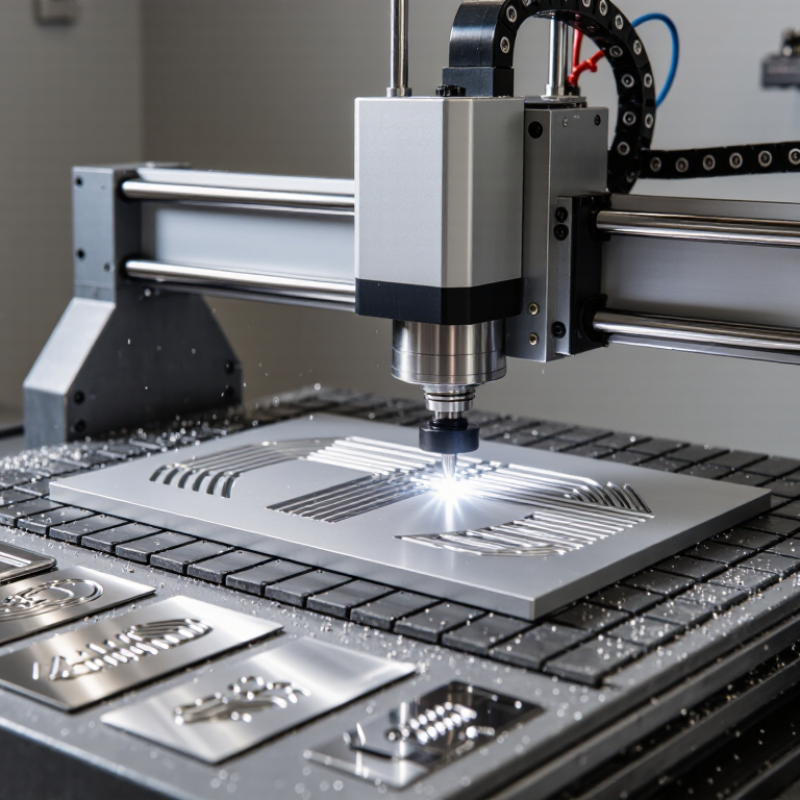
CNC metal engraving uses a programmed toolpath to cut letters, lines, or patterns into a metal surface. Unlike marking alone, mechanical engraving removes material and leaves a groove you can feel with a fingernail. The result depends on the metal, cutting tool, spindle stability, and depth settings.

Aluminum usually cuts more easily than stainless steel, while thin sheets may vibrate unless clamped firmly. Small details matter. A loose workpiece can turn a clean curve into a rough, uneven mark.

These machines serve practical and decorative needs. Workshops engrave control panels, equipment tags, measurement scales, and custom components; makers also add fine details to metal gifts and signs. The best setup is not simply the fastest one. Tool geometry and feed rate must suit the material, and a shallow test pass can reveal burrs or unwanted heat before the full design begins.

Test cuts help. Even careful settings may need adjustment, because alloys and surface finishes vary. For readable, durable results, check letter height, line spacing, and engraving depth under the lighting where the finished part will be used. A tiny sample may not predict every outcome, but skipping it is often the bigger gamble.

Comparing CNC Engraving Machine Types for Metal

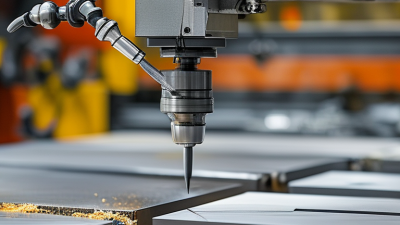
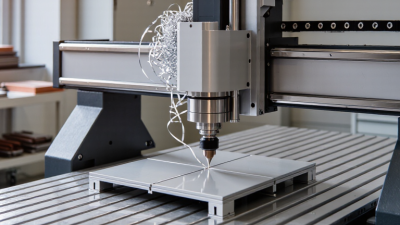
Metal engraving machines differ mainly in how they remove or mark material. A rotary CNC engraver uses a cutting tool to carve grooves into metal. It can create noticeable depth and crisp lettering, but tool wear, spindle rigidity, and workpiece clamping affect the result. On a small aluminum plate, even slight movement can leave uneven strokes.

A fiber laser marks metal without a cutting bit touching the surface. It is suited to fine text, serial numbers, and detailed graphics, though the mark’s contrast and depth depend on the metal and settings. It may not produce the tactile groove some buyers expect. A diamond-drag engraver works differently: its pointed tool scratches the surface, often producing clean, shallow lines with little material removal. It is less suited to deep engraving.

It depends. Compare the desired mark, metal type, and production volume before choosing. For deep lettering on steel, a rigid rotary machine may be more appropriate than a shallow-marking system. For delicate graphics, a laser can preserve fine detail without bit deflection. Check samples on the actual alloy; online demonstrations may use different finishes or settings. There is no tidy winner, which is a slightly unsatisfying answer. Tool setup and operator experience can matter as much as the machine category.

Evaluating Key Features, Performance, and Operating Costs

Choosing the best CNC engraving machine for metal starts with the material and mark you need. A small carbide cutter can produce crisp, tactile lettering on aluminum, but steel demands suitable tooling, rigidity, and cutting parameters. Fiber-laser systems mark many metals without a cutting tool, though they create a different result. Compare sample marks on your actual parts, not just promotional photos. A clean showroom cut proves little.

Look closely at frame stiffness, spindle or laser capability, work area, and motion accuracy. For mechanical engraving, check whether the machine holds fine tools securely and controls vibration during shallow passes. For laser marking, confirm the usable work area and focus adjustment. Test small text, curved edges, and repeated marks. Those details expose limitations quickly. A machine that looks fast on paper may need slower settings for clean results.

Operating costs include more than the purchase price. Mechanical systems use cutters that wear or break; laser systems still need routine cleaning and service. Add electricity, extraction, setup time, and any software or fixtures required for your workflow. Ask how often maintenance is expected, and price commonly replaced parts before buying. I would also budget for a few failed test pieces. Estimates can be imperfect, especially when materials vary, so record cycle time and tool use during a real trial.

Matching Machine Capabilities to Metals and Project Needs

Which Is the Best CNC Engraving Machine for Metal?

Matching Machine Capabilities to Metals and Project Needs

The best machine depends on the metal, engraving depth, and finish—not just spindle power. For shallow serial numbers on stainless steel, a rigid CNC mill with a sharp carbide cutter can produce clean, repeatable lines. Deep engraving needs stronger fixturing and a spindle that maintains torque under load. A fiber laser suits fast surface marking, but it may not create the same physical depth as a milling cutter.

Heat behavior matters. ASM Handbook, Volume 2, reports thermal conductivity of about 16 W/m·K for 304 stainless steel. The Copper Development Association lists about 391 W/m·K for C110 copper. These differences affect heat flow and cutting behavior. Small details matter. Copper can move heat away quickly, while stainless steel can retain heat near the cut. Choose suitable tooling, feed rates, and chip removal for the specific alloy; generic settings can leave burrs or a rough edge.

Match the work envelope to the largest part, then check the table’s rigidity and clamping options. Thin aluminum panels may vibrate under a cutter, so secure support matters as much as machine speed. For fine text, test the smallest intended lettering on scrap from the same alloy. A neat specification sheet can still mislead. Real results depend on alloy, tool condition, setup, and operator adjustments. A short test cut is worth the time.

Selecting the Best CNC Engraving Machine for Your Requirements

Which Is the Best CNC Engraving Machine for Metal?
Selecting the Best CNC Engraving Machine for Your Requirements

The right machine depends on your material, engraving depth, and typical job size. A compact desktop unit may handle small aluminum tags, while larger plates need a sturdier frame and more work area. Check the machine’s stated accuracy, but also consider how securely it holds a thin sheet. Vibration can turn crisp lettering into ragged edges.

Match the spindle and tooling to the metals you actually engrave. Aluminum, brass, and stainless steel behave differently, so one setup may not suit every job. Ask about compatible cutters, speed control, workholding, and maintenance access. Software matters, too: previewing a toolpath can help catch misplaced text before a valuable part is on the table. Specifications are useful, but they do not replace a test on your own material.

Tips: Bring a sample plate and a typical design when comparing machines. Test small text, curved lines, and repeat positioning. Look closely at the edges. A clean first result is encouraging, but repeatability matters more. I would avoid choosing by price alone; that’s an easy shortcut, and sometimes the wrong one. Keep room in your budget for cutters, clamps, and practice material.

Which Is the Best CNC Engraving Machine for Metal?

Choose a machine based on the metals you plan to engrave, the required detail, and the rigidity and tooling needed for the job.

Representative Brinell hardness values (HBW) are approximate and vary with alloy, temper, and test conditions. Harder metals generally call for a more rigid machine and suitable cutting tools; hardness alone does not determine engraving performance.

Scroll to Top