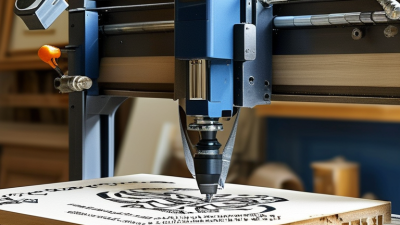
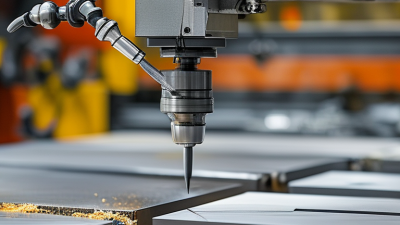
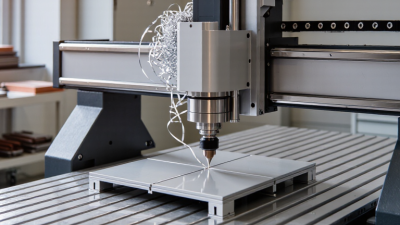
CNC engraving turns digital artwork into precise marks on wood, acrylic, metal, plastic, and other workable materials. It uses computer-controlled movement to guide a cutting tool across a selected surface. Unlike hand engraving, the process follows programmed coordinates, cutting depth, speed, and tool paths.
John Saunders, a respected CNC machining educator and founder of Saunders Machine Works, explains a central lesson of computer-controlled machining: “The machine does exactly what you tell it to do.” That warning matters in cnc engraving. A beautiful design can still produce a poor result when the file contains incorrect dimensions, unsuitable feeds, or missing toolpath settings.
The process begins with CAD artwork or vector graphics. CAM software then converts that design into machine instructions, commonly called G-code. The controller reads those instructions and moves the spindle along the X, Y, and Z axes. The cutter removes a controlled amount of material with every pass.
Small details reveal the machine’s behavior. Fine letters may need a narrow V-bit. Deep grooves may require several shallow passes. Dust, vibration, and material movement can also affect the final surface.
It is not effortless.
Even experienced operators test scrap material first. They check the bit, clamping pressure, zero point, and cutting depth. A successful result depends on both technology and judgment. This guide explores how cnc engraving works, which tools support it, and why careful preparation often matters more than raw machine speed.
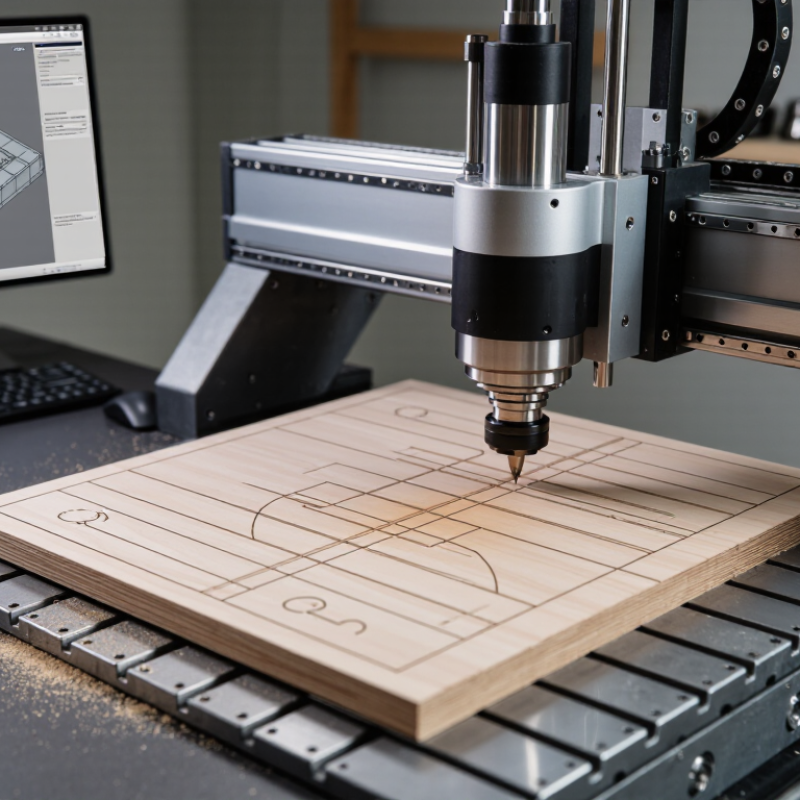
CNC engraving is a computer-controlled process that removes small amounts of material to create letters, patterns, or precise markings. A digital design guides the cutting tool across a fixed workpiece. The machine controls movement, speed, and cutting depth along several axes. In practical shop work, accuracy begins with careful setup, not only software. Small errors matter.
The purpose of CNC engraving is clear, repeatable surface detail. It is used for identification plates, decorative panels, measurement scales, and functional markings. A typical workflow starts with a CAD drawing. CAM software converts that drawing into toolpaths and machine instructions. The operator then checks the origin, secures the material, and selects a suitable cutter. Tool shape affects line width and corner detail. Feed rate also matters. Test cuts help.
Core principles include controlled material removal, stable workholding, and accurate coordinate positioning. Shallow passes often produce cleaner results than one deep cut. Softer materials may melt, tear, or collect debris when settings are poorly matched. Hard materials can dull a cutter quickly. Surface flatness is important, especially for fine text. Operators should inspect the first piece with visual checks and simple measuring tools. Not every result is perfect. A design may look correct on screen but feel uneven on the finished surface. That gap requires adjustment, patience, and honest review.
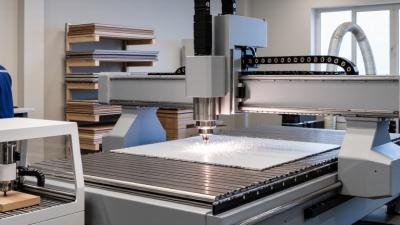
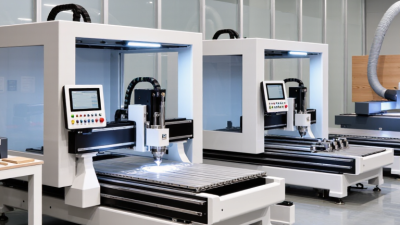
CNC engraving uses computer-controlled motion to remove material with a rotating cutter. A typical setup includes a rigid frame, spindle, workholding bed, controller, and dust extraction. The machine follows toolpaths created in CAD and CAM software. Accuracy depends on calibration, rigidity, cutter condition, and material stability. Small errors matter.
Tool selection changes the result. V-shaped cutters create crisp lettering, while flat end mills produce clean pockets and shallow reliefs. Carbide tools usually handle wood, acrylic, and non-ferrous metals effectively.
Common materials include hardwood, plywood, plastic sheet, aluminum, and coated panels. Each material needs suitable spindle speed, feed rate, and cutting depth.
According to Grand View Research’s 2024 CAD Software Market report, the global CAD software market continues expanding as digital design becomes central to manufacturing workflows. That growth supports wider access to engraving preparation tools, although software cannot correct poor measurement.
Tips:
MarketsandMarkets reported strong growth in the global CNC machine market in its 2024 industry analysis, driven by automation and demand for flexible production. Yet market growth does not guarantee perfect results.
In practical work, I often find that material movement causes more trouble than software settings. A beautiful preview can still produce rough edges. Inspect the first piece under direct light, measure it with calipers, and adjust one variable at a time. Conservative settings usually waste less material. Speed is tempting. Consistency matters more.
CNC engraving begins with a digital drawing created in CAD software. The design may contain letters, outlines, symbols, or shallow pockets. The file is then converted into toolpaths through CAM software. These instructions define movement, cutting depth, speed, and direction.
Material preparation matters more than many beginners expect. The workpiece is clamped firmly to prevent vibration or movement. A suitable cutter is selected for the material and line width. The operator sets the machine’s X, Y, and Z zero points, often using the top surface as the height reference. A small mistake here can shift the entire design.
The machine usually runs a simulation before cutting. This can reveal tool collisions or missing paths. A dry run is also useful, although it does not replace careful measurement. The cutter then follows the programmed path, removing thin layers from the surface. Shallow passes often produce cleaner edges than one deep cut. During machining, unusual noise, dust, or tool deflection deserves immediate attention. The finished piece is inspected with a ruler or caliper, then cleaned and lightly deburred. In practice, the process is repeatable, but not flawless. Material hardness, loose fixturing, and incorrect feed settings can still affect the result. Safety glasses, guarding, and proper chip control remain essential.
What Is CNC Engraving and How Does It Work?
Factors That Shape Engraving Quality and Precision
CNC engraving uses computer-controlled movement to remove material from a surface. A digital design becomes a toolpath with measured coordinates. The spindle rotates a cutter along that path. Cutting depth, feed rate, and tool diameter affect every detail. Small errors become obvious on fine lettering.
Material hardness changes the cutting response. Wood may compress or splinter around sharp corners. Aluminum can reveal burrs when the cutter is dull. A sharp, properly sized tool leaves cleaner edges. Machine rigidity matters too. Vibration can turn a straight line into a rough groove. I have seen a perfect file produce poor lettering because the workpiece was clamped unevenly. Good setup beats a rushed start.
Precision also depends on calibration and maintenance. Backlash, spindle runout, and incorrect tool height can shift the design. Test cuts reveal problems before the final piece is touched. Measure the result, not just the settings. Toolpath direction may improve edge quality on certain materials. Operator judgment remains important. It is not flawless. A conservative depth often produces more consistent results than an aggressive pass. That choice may feel slow, but it protects small details and reduces uneven edges. Lighting and surface contrast also influence inspection, especially when engraved lines are shallow.
CNC engraving uses computer-controlled motion to cut letters, patterns, or shallow reliefs into a workpiece. The operator prepares a digital drawing, converts it into toolpaths, and sets spindle speed, feed rate, and cutting depth. The machine then moves along programmed X, Y, and Z axes. A carbide cutter may leave crisp lines on aluminium, wood, acrylic, or coated panels.
Applications range from control-panel markings to serial numbers, plaques, electrical labels, and custom fixtures. Small workshops also use engraving for prototypes because one digital file can produce repeatable parts. The 2024 Global CNC Machine Market analysis by Grand View Research identifies automation and precision manufacturing as major growth drivers. A separate 2024 Smart Manufacturing and Operations Survey found that 92% of manufacturers viewed smart manufacturing as important for future competitiveness. That supports wider CNC adoption, but it does not guarantee better engraving.
Limitations appear quickly on the workshop floor. Fine details can break when cutters become too large, blunt, or poorly aligned. Curved surfaces may require rotary accessories or multi-axis control. Hard materials also increase tool wear, heat, and production time. Dust can obscure shallow marks. Mistakes remain expensive. A misplaced zero point can ruin a finished panel within seconds. Published accuracy figures often describe machine positioning, not the final engraved line. Material hardness, vibration, clamping, and operator setup still matter. In practice, a test cut on scrap material remains more trustworthy than a perfect simulation.
| Data Dimension | Typical Data or Range | Description and Practical Considerations |
|---|---|---|
| Definition | Computer-controlled material removal | CNC engraving uses programmed toolpaths to move a cutting tool across a workpiece and create letters, graphics, grooves, pockets, or textured details. |
| Basic Operating Sequence | Design → toolpath → setup → machining → inspection | A digital drawing is converted into machine instructions, the workpiece is secured, the cutter follows the programmed path, and the result is checked for size, depth, and surface quality. |
| Common Control Code | G-code | G-code defines movements, cutting depths, feed rates, spindle commands, and other machining actions. Exact commands vary by controller and machine configuration. |
| Typical Engraving Depth | Approximately 0.1–3 mm for many decorative and identification jobs | The usable depth depends on the material, cutter geometry, required appearance, machine rigidity, and whether the operation is surface marking or deeper pocketing. |
| Typical Cutter Diameter | Approximately 0.2–6 mm for fine to general engraving | Smaller cutters produce finer details but are more vulnerable to breakage. Larger cutters are stronger and remove material faster but cannot reproduce very narrow features. |
| Positioning Capability | Often about ±0.01–0.10 mm, depending on machine class and setup | Advertised positioning accuracy is not the same as finished-part accuracy. Fixturing, tool runout, thermal changes, calibration, and material movement affect the final result. |
| Suitable Materials | Aluminum, brass, copper, steel, plastics, acrylic, wood, and laminates | Each material requires suitable tooling, cutting parameters, workholding, and chip or dust control. Some brittle, abrasive, or heat-sensitive materials need specialized methods. |
| Common Tool Types | V-bit, engraving cutter, carbide end mill, ball-nose cutter, and diamond drag tool | Tool selection depends on line width, corner detail, material hardness, desired finish, and whether the process removes material or primarily scratches the surface. |
| Identification and Traceability | Part numbers, serial numbers, dates, QR codes, and data-matrix-style marks | CNC engraving can create permanent physical marks for inventory control, assembly identification, maintenance records, and product traceability. |
| Industrial Applications | Control panels, nameplates, machine components, molds, fixtures, and tooling | The process is useful where consistent markings, shallow features, repeatability, or custom geometry are required. |
| Consumer and Decorative Applications | Signs, plaques, gifts, jewelry components, panels, and decorative artwork | CNC engraving is suitable for personalized designs and repeatable production, particularly when the design contains vector lines or shallow relief details. |
| Primary Advantages | Repeatability, programmable geometry, clean digital workflow, and durable marks | Once the program and setup are validated, multiple parts can be produced with consistent patterns and dimensions. |
| Main Limitation: Tool Access | Requires direct physical access to the surface | Standard three-axis CNC engraving is less suitable for hidden surfaces, deep internal features, or complex curved areas without additional rotary or multi-axis capability. |
| Main Limitation: Fine Detail | Detail is limited by cutter size, runout, vibration, and material behavior | Very small text and intricate artwork may require specialized micro-tools, slower feeds, improved workholding, or a non-contact marking process. |
| Main Limitation: Setup Requirements | Workholding, zeroing, tool measurement, and parameter selection | Incorrect alignment or inconsistent tool height can cause uneven depth, misplaced graphics, scrap parts, or cutter damage. |
| Production Consideration | Best for prototypes, customization, and low-to-medium volumes | CNC engraving is flexible, but cycle time and physical setup may make it less economical than dedicated high-speed marking methods for very large quantities of identical marks. |
| Safety and Quality Controls | Eye protection, guarding, chip control, secure fixturing, and first-piece inspection | Operators should verify tool condition, clamping, program coordinates, spindle settings, and material compatibility before production machining. |
Arsun Engineers is the well-known manufacturer, exporter, and supplier of highly operational machines.